Students · Notion
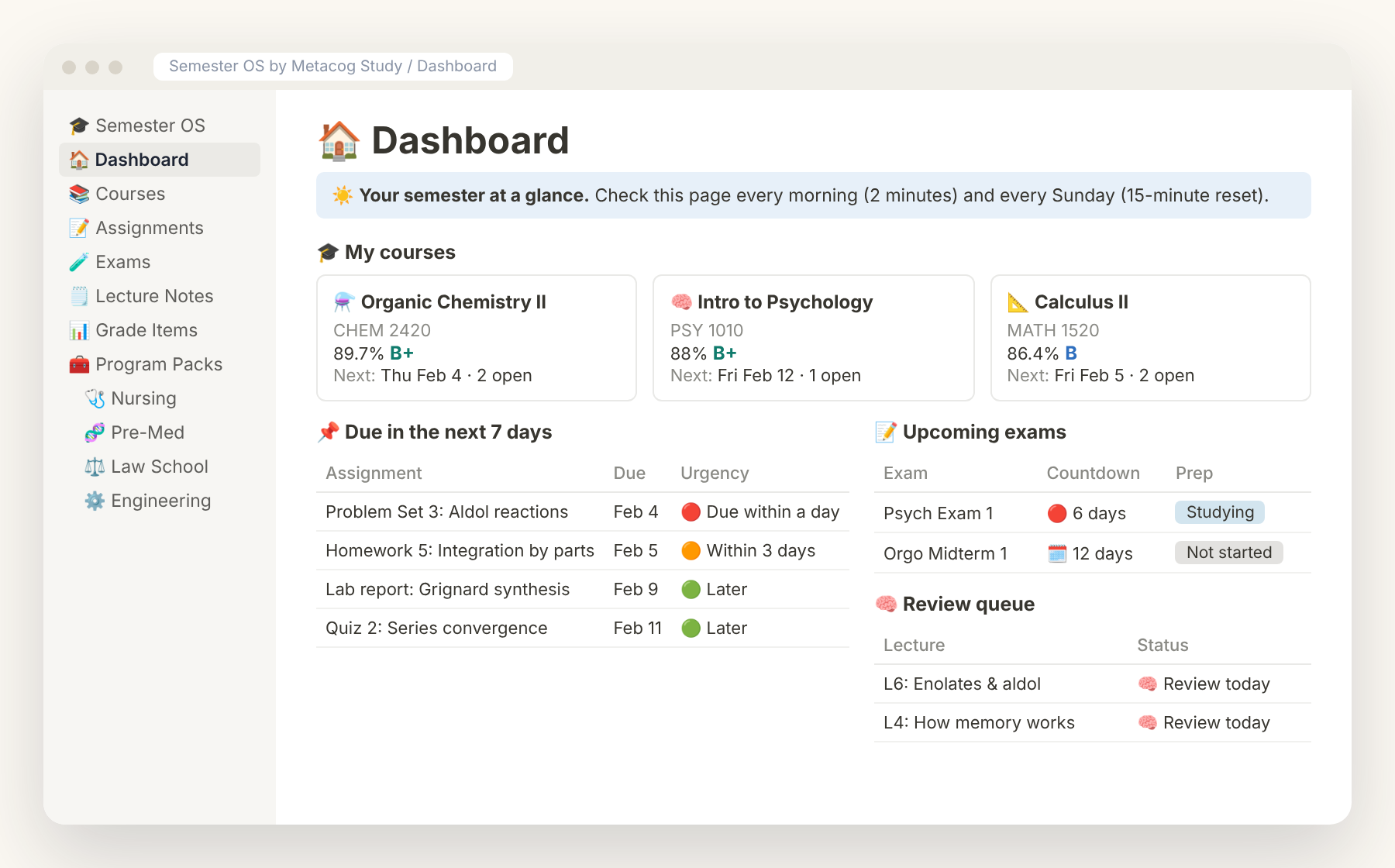
Semester OS — Notion Student Planner
Every class, deadline and exam in one calm dashboard.
$24$34

Notion student planner · Google Sheets grade tracker
Study systems for students in demanding programs. See what's due, which exams are coming, what to review today and your live grade in every class. Set up in 5 minutes.
Built for your program:
Students · Notion
Every class, deadline and exam in one calm dashboard.
$24$34
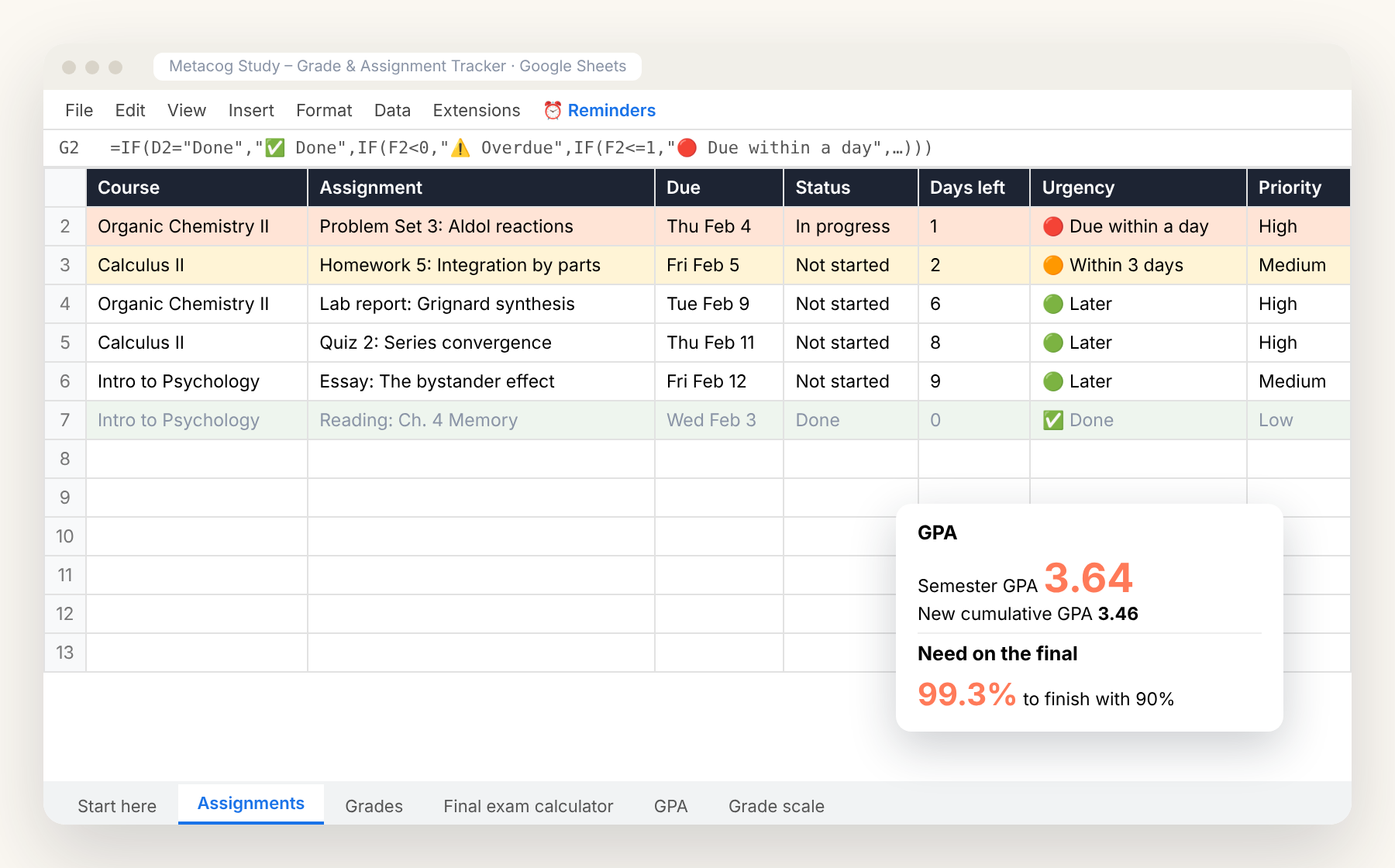
Students · Google Sheets / Excel
Deadlines, grades and GPA, with email reminders 24 hours before anything is due.
$12
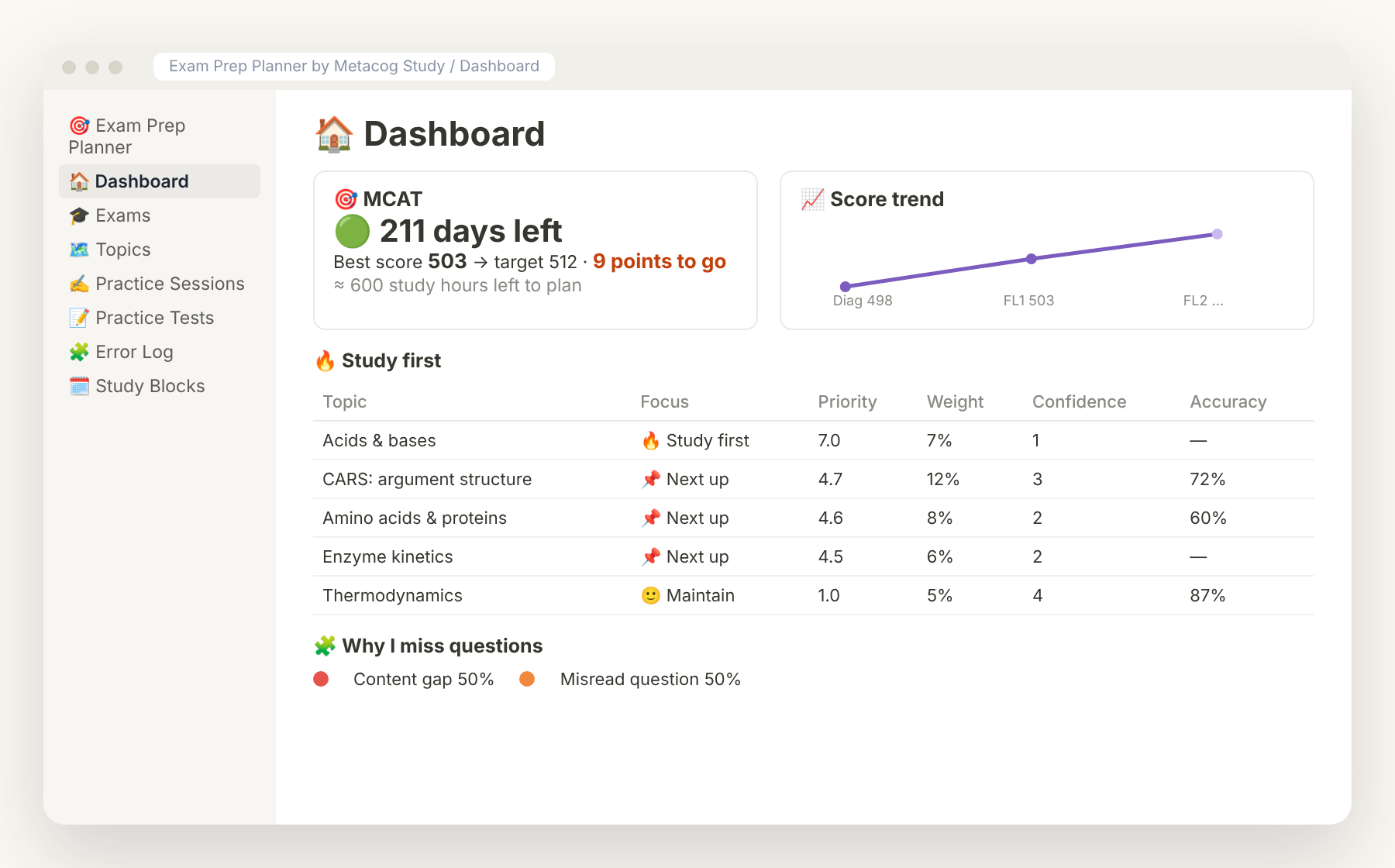
Students · Notion
A study plan that adapts to your weak spots, not a generic calendar.
$19$29
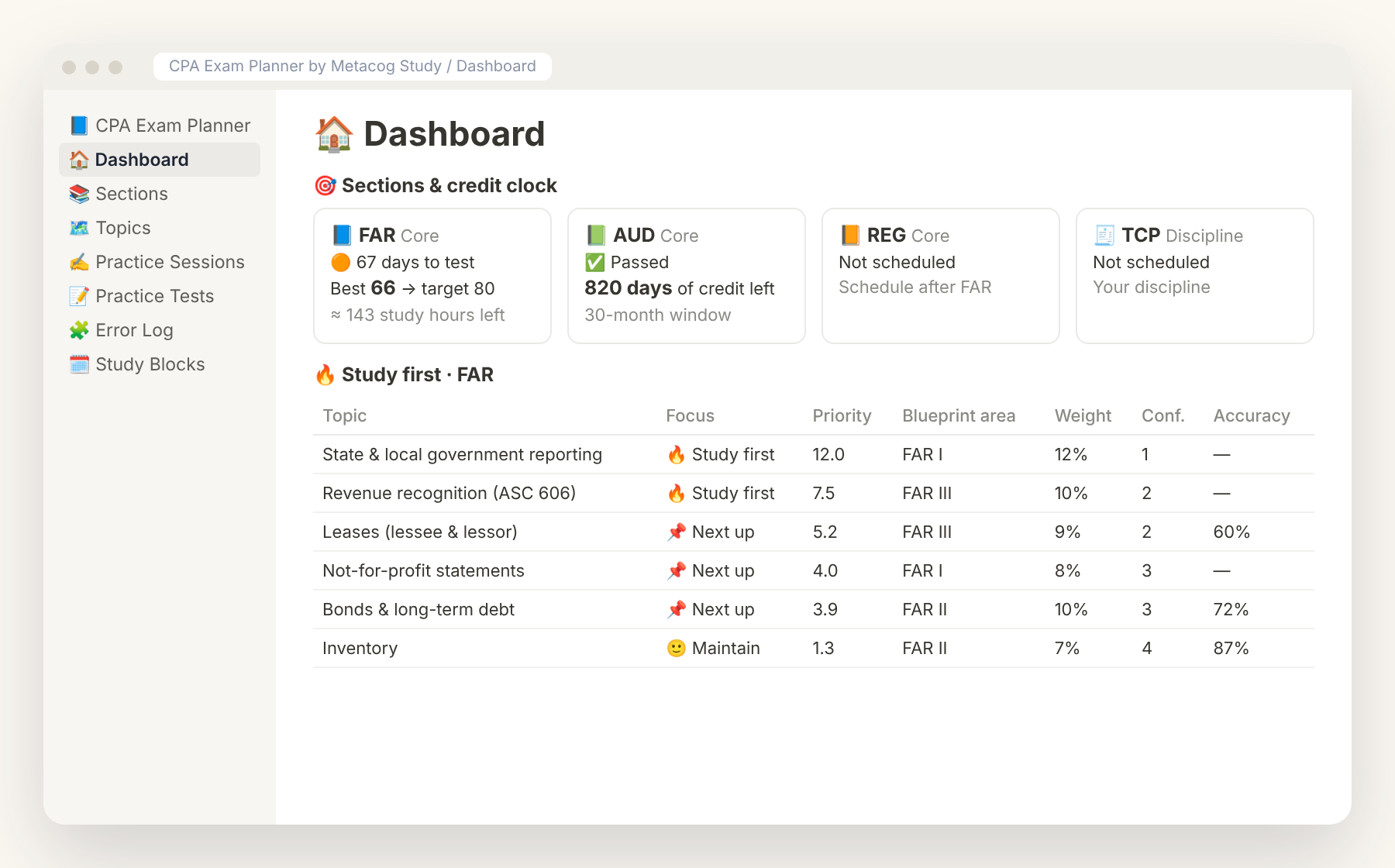
Students · Notion
Pass all four sections before your credit window closes.
$19$29
Best value
All 12 templates (worth $221) plus every template we release in future, for a single payment of $69.
See the bundleFinance · Notion / Google Sheets
See where every dollar goes in 10 minutes a week.
$19$29
Planning · Notion / Printable PDF / GoodNotes
Plan your week in 20 minutes. Actually follow it.
$12
Life · Notion
One dashboard for projects, notes, goals and tasks.
$39$59
A ready-made Notion workspace for school: courses, assignments, exams, lecture notes and grades linked together, with a dashboard that shows what is due, which exams are coming and what to review today. Program Packs add nursing, pre-med, law, engineering and high-school databases.
Instantly. After checkout you get your links on the confirmation page and by email: a one-click "Duplicate" link for Notion, a "Make a copy" link for Google Sheets, and direct downloads for Excel and PDFs.
No. Everything works on free Notion and free Google Sheets, on desktop, web and mobile.
Each lecture note in Semester OS has a Times reviewed count and a Last reviewed date. After you review a note you add 1 and set the date, and its Next review date moves out automatically (1, 3, 7, 14, then 30 days). The Dashboard review queue lists every note that is due today, so you revisit material just before you would forget it.
Yes. Add each graded category with its weight and your score, and every course shows a live weighted grade and letter based on the work graded so far. Semester OS tracks grades per course. For a semester and cumulative GPA, a final-exam calculator and email reminders, add the Grade & Assignment Tracker for Google Sheets.
Semester OS runs your classes: courses, deadlines, notes and grades. The Exam Prep Planner prepares you for one high-stakes exam (MCAT, NCLEX, LSAT, USMLE, bar) by ranking topics by exam weight and how weak you are on them, tracking practice-test scores and tagging every missed question by cause. Many students use both. Preparing for the CPA Exam? The CPA Exam Planner does the same for FAR, AUD, REG and your Discipline, with a credit clock for every section you pass.
Yes. If it does not work for you, email us within 14 days for a full refund.